添加示例数据
学习目标
添加示例数据
业务场景
你的公司计划基于 SAP Cloud Application Programming Model(CAP)开发一组云端应用。这些应用将作为 SAP 核心后端系统的扩展应用部署到 SAP Business Technology Platform(BTP)上。
在本练习中,你将执行以下任务:向实体添加示例数据。
应用的结构完成后,你就可以向应用添加示例数据了。你可以使用可视化数据编辑器,也可以通过 CSV 文件插入数据。
注意
请注意,本学习之旅链接到的某些服务可能会产生费用。
如果你担心产生费用,可以选择跳过相应的练习。
任务 1:以不同方式添加示例数据
步骤
添加一个新的数据实体,并为实体 A_BusinessPartner 创建数据。
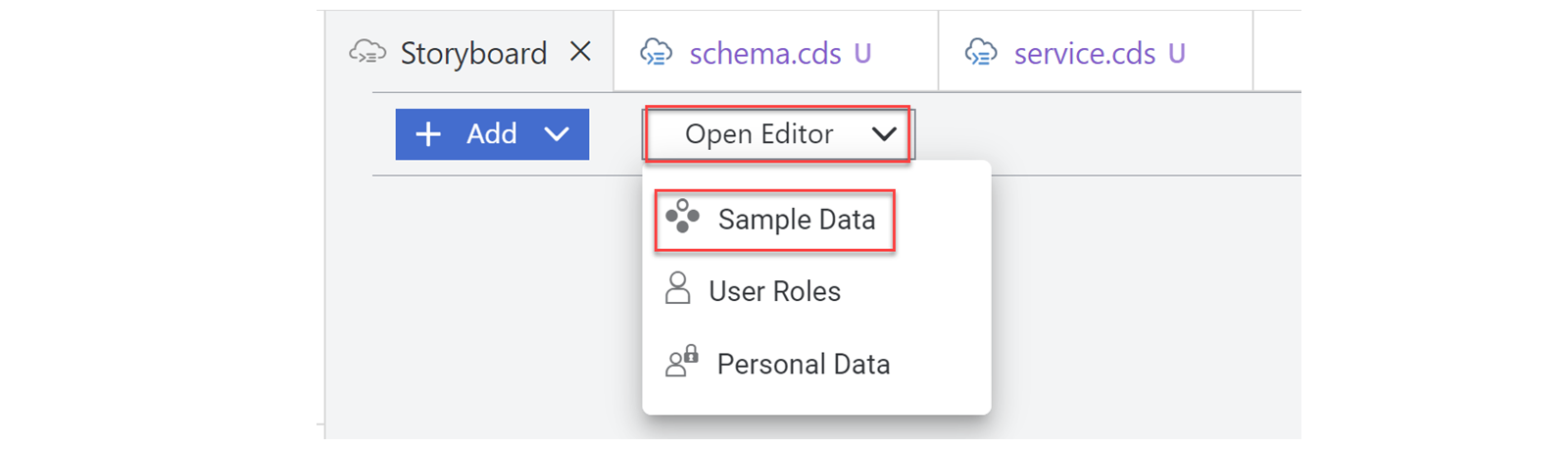
在故事板中,选择打开编辑器,然后从下拉菜单中选择示例数据。
在搜索字段中,输入
Business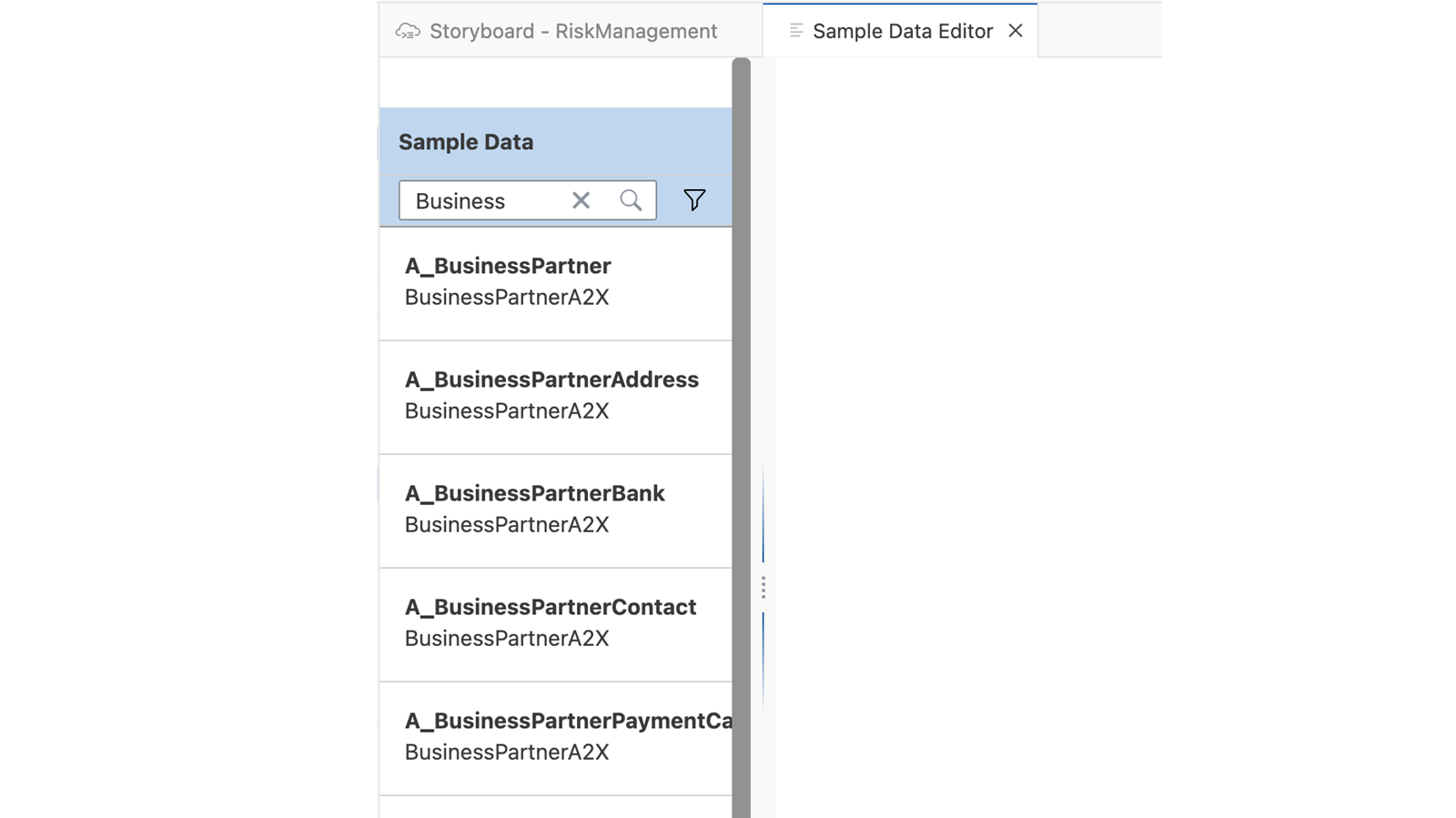
在实体列表中,选择
A_BusinessPartner。将模拟数据设置为
off。在行数字段中,输入3。选择添加。
在第 1 行中,添加以下数据: | 字段 | 值 | | --- | --- | | BusinessPartner | 3270 | | Customer | 202 | | Supplier | 1018 | | BusinessPartnerCategory | 7 | | BusinessPartnerFullName | Nue Tech inc |
注意
数据会自动保存。
在第 2 行中,添加以下数据: | 字段 | 值 | | --- | --- | | BusinessPartner | 2803 | | Customer | 245 | | Supplier | 1403 | | BusinessPartnerCategory | 6 | | BusinessPartnerFullName | Expo Technologies Plc |
在第 3 行中,添加以下数据: | 字段 | 值 | | --- | --- | | BusinessPartner | 3510 | | Customer | 1710 | | Supplier | 374 | | BusinessPartnerCategory | 7 | | BusinessPartnerFullName | Inlandskunde DE80 |
对于实体 Mitigations 和 Risks,可以导入预定义的示例数据。
创建一个 CSV 文件。
为 Mitigations 粘贴以下数据:
ID;createdAt;createdBy;description;owner;timeline
20466921-7d57-4e76-b14c-e53fd97dcb11;2021-04-27;max.mustermann@muster.com;SLA violation: authorize account manager to offer service credits for recent delivery issues;suitable BuPa;Q4 2022
20466921-7d57-4e76-b14c-e53fd97dcb12;2021-04-27;max.mustermann@muster.com;SLA violation: review third party contractors to ease service delivery challenges;suitable BuPa;Q4 2022
20466921-7d57-4e76-b14c-e53fd97dcb13;2021-04-27;max.mustermann@muster.com;Embargo violation: investigate source of shipment request	 revoke authorization;SFSF Employee with link possible?;29.03.2023
20466921-7d57-4e76-b14c-e53fd97dcb14;2021-04-27;max.mustermann@muster.com;Embargo violation: review shipment proceedure and stop delivery until further notice;SFSF Employee with link possible?;01.03.2023
保存该 CSV 文件。 CSV 文件的名称必须包含你在练习 Create a New Project 中创建的项目名称,以及你在练习 Create and Configure a Data Model 中为 mitigations 创建的实体名称。(如果你使用本学习之旅中建议的命名,则必须将 CSV 文件重命名为
RiskManagement-Mitigations.csv。返回应用的故事板标签页。
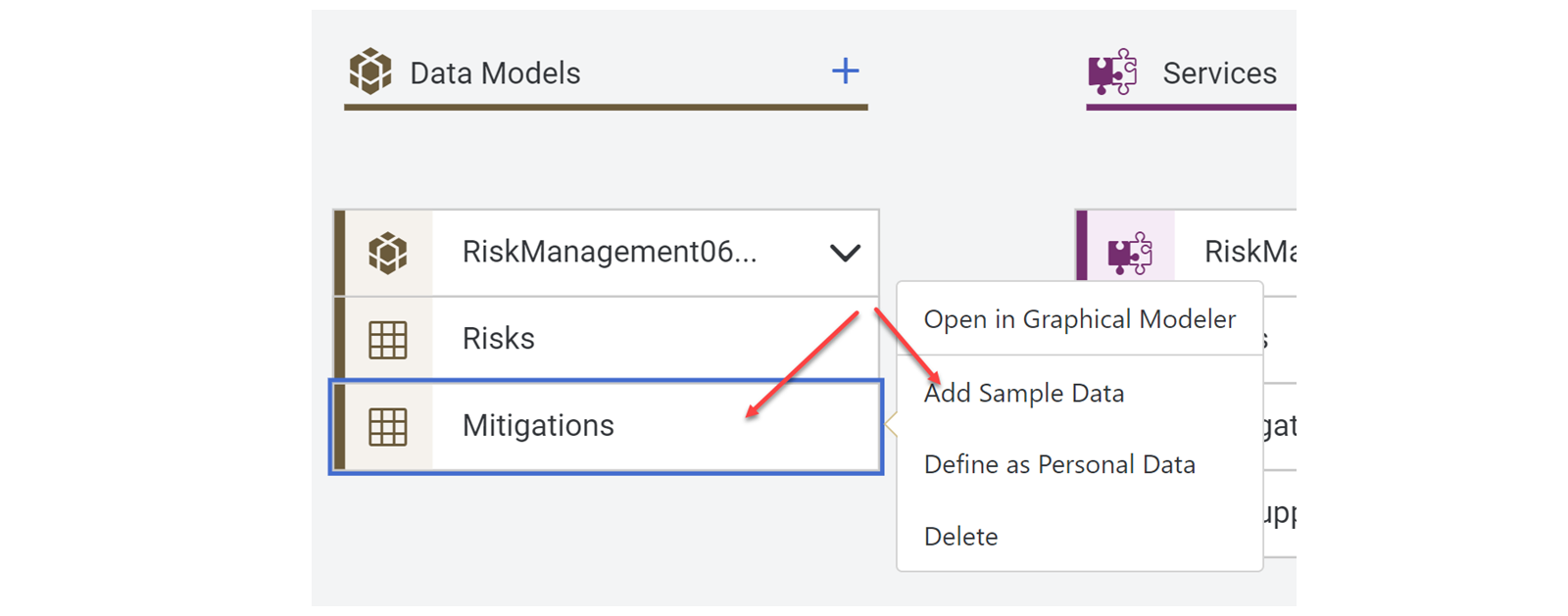
找到数据模型磁贴。
选择条目 Mitigations。选择添加示例数据。
选择导入按钮。
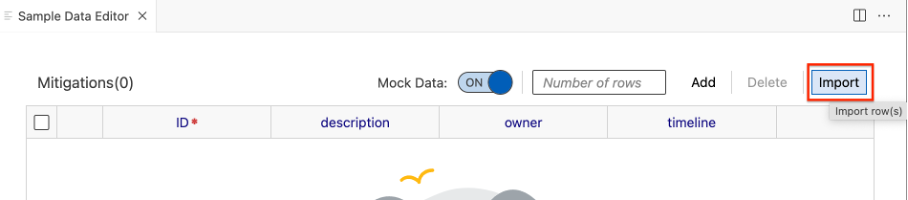
选择你的 CSV 文件。
注意
示例数据将自动为所选实体保存。
创建一个新的 CSV 文件。
将 Risks 的以下数据粘贴到该 CSV 文件中:
ID;miti_id;title;prio;descr;impact;criticality;supplier_businesspartner
20466922-7d57-4e76-b14c-e53fd97dcb11;20466921-7d57-4e76-b14c-e53fd97dcb11;CFR non-compliance;1;Recent restructuring might violate CFR code 71;10000;2;3270
20466922-7d57-4e76-b14c-e53fd97dcb12;20466921-7d57-4e76-b14c-e53fd97dcb12;SLA violation with possible termination cause;2;Repeated SLA violation on service delivery for two successive quarters;90000;3;2803
20466922-7d57-4e76-b14c-e53fd97dcb13;20466921-7d57-4e76-b14c-e53fd97dcb13;Shipment violating export control;1;Violation of export and trade control with unauthorized downloads;200000;2;3510
将该 CSV 文件保存为
RiskManagement-Risks.csv。 CSV 文件的名称必须包含你在练习 Create a New Project 中创建的项目名称,以及你在练习 Create and Configure a Data Model 中为 mitigations 创建的实体名称。(如果你使用本学习之旅中建议的命名,则必须将 CSV 文件重命名为RiskManagement-Risks.csv。对 Risks 重复步骤 3 至 7(c 至 g)。
本课其余配图
本课其余配图
本课其余配图
本课其余配图