评估 SAP Build Process Automation 中的不同工作模式
学习目标
通过评估 SAP Build Process Automation 中的三种不同工作模式,选择实施流程需求的适当方法
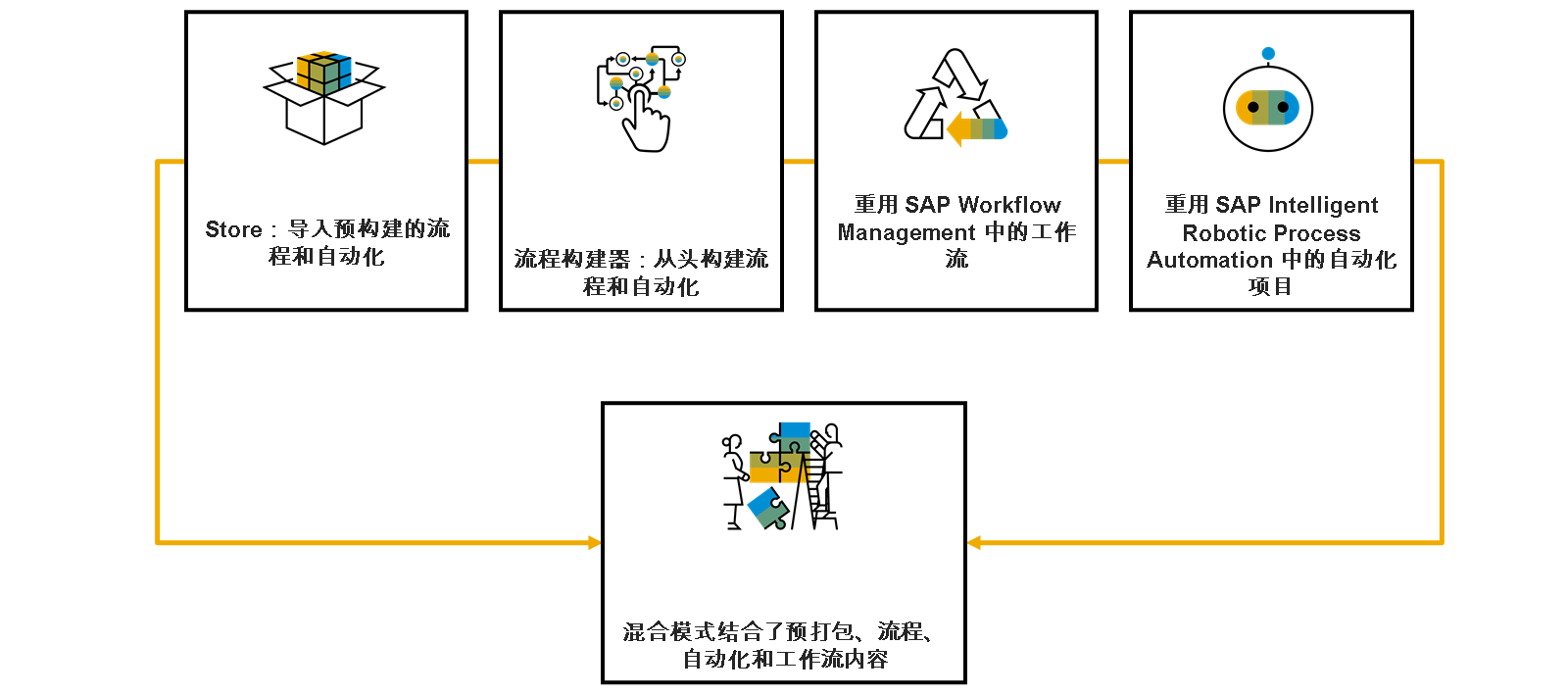
作为要在 SAP Build Process Automation 中创建流程的人员,您可以从一组不同的工作模式中进行选择:
从内置 Store 导入预构建的流程和自动化。
使用流程构建器工具从头开始构建自定义流程和自动化。
重复使用 SAP Workflow Management 中的工作流 - 作为迁移工作量或 SAP Build Process Automation 功能无法满足您的所有需求。
重复使用 SAP Intelligent Robotic Process Automation 中的自动化项目 - 现有 SAP Intelligent Robotic Process Automation Cloud Studio 项目与 SAP Build Process Automation 完全兼容。
"混合"模式结合预打包的流程和工作流内容。
从内置存储导入预构建流程和自动化
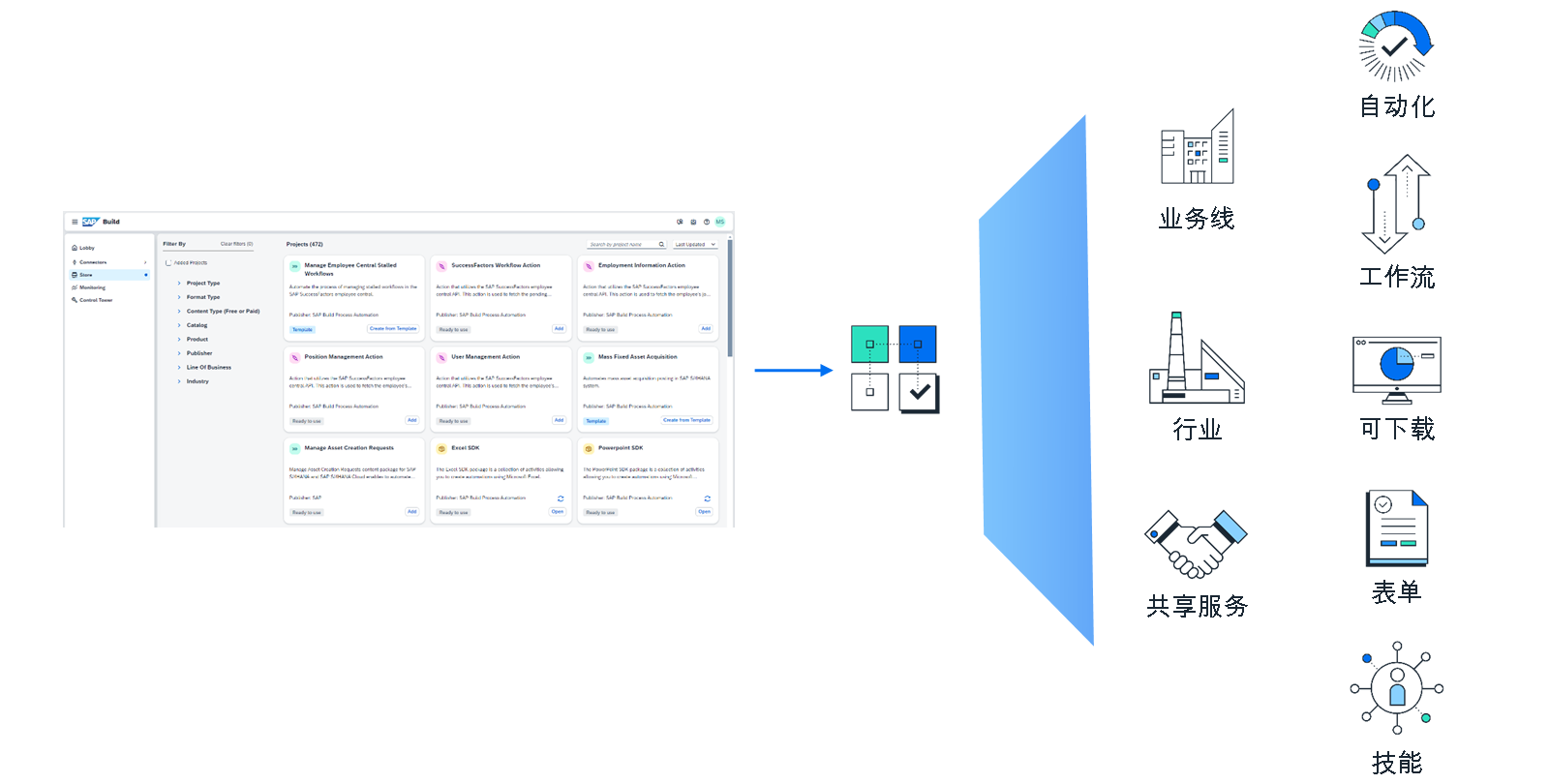
使用此选项,您可以利用通过内置 Store 提供的各种预构建、直接可用的包。这些包涵盖多个业务范围、行业和共享功能。包内容涵盖从业务流程到模板化的自动化,从表单模板到流程可见性项目,以及操作(也称为技能)。此外,还有包含所有不同部件的完整包。这些软件包大多准备即插即用,只需最少的配置工作量即可完成。内容量不断延长。
使用流程构建器工具从头开始构建自定义流程和自动化
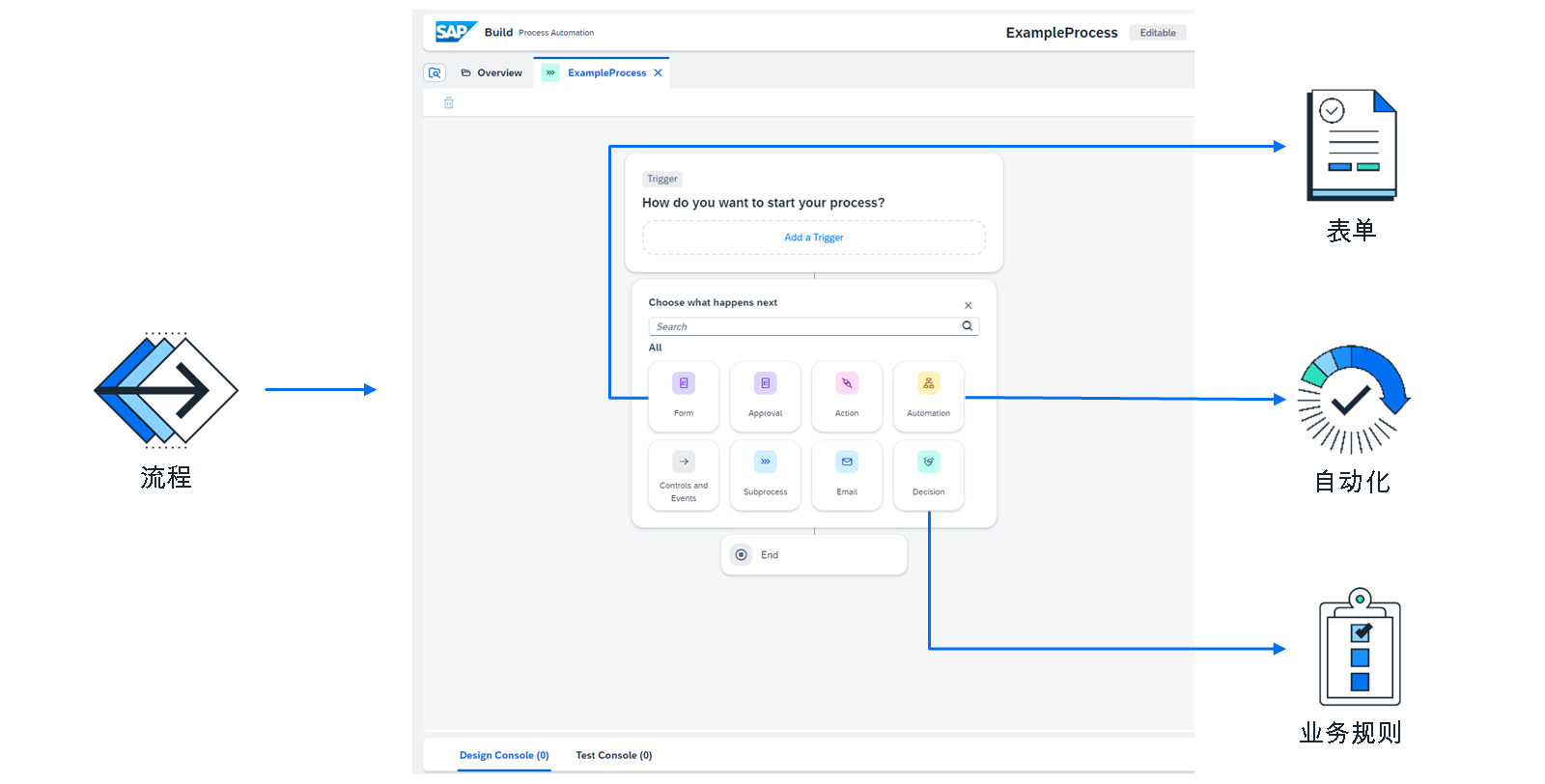
作为(公民)开发人员,流程构建器是您创建自己的流程和自动化工件的中央工具。其功能允许您以无代码方法实施几乎所有业务场景。流程构建器支持创建和使用以下内容:
表单和审批表单
自动化(机器人)
决策(业务规则)
操作(也称为技能)
控制
在 SAP Business Application Studio 中开发的工作流。
重用 SAP Workflow Management 中的工作流
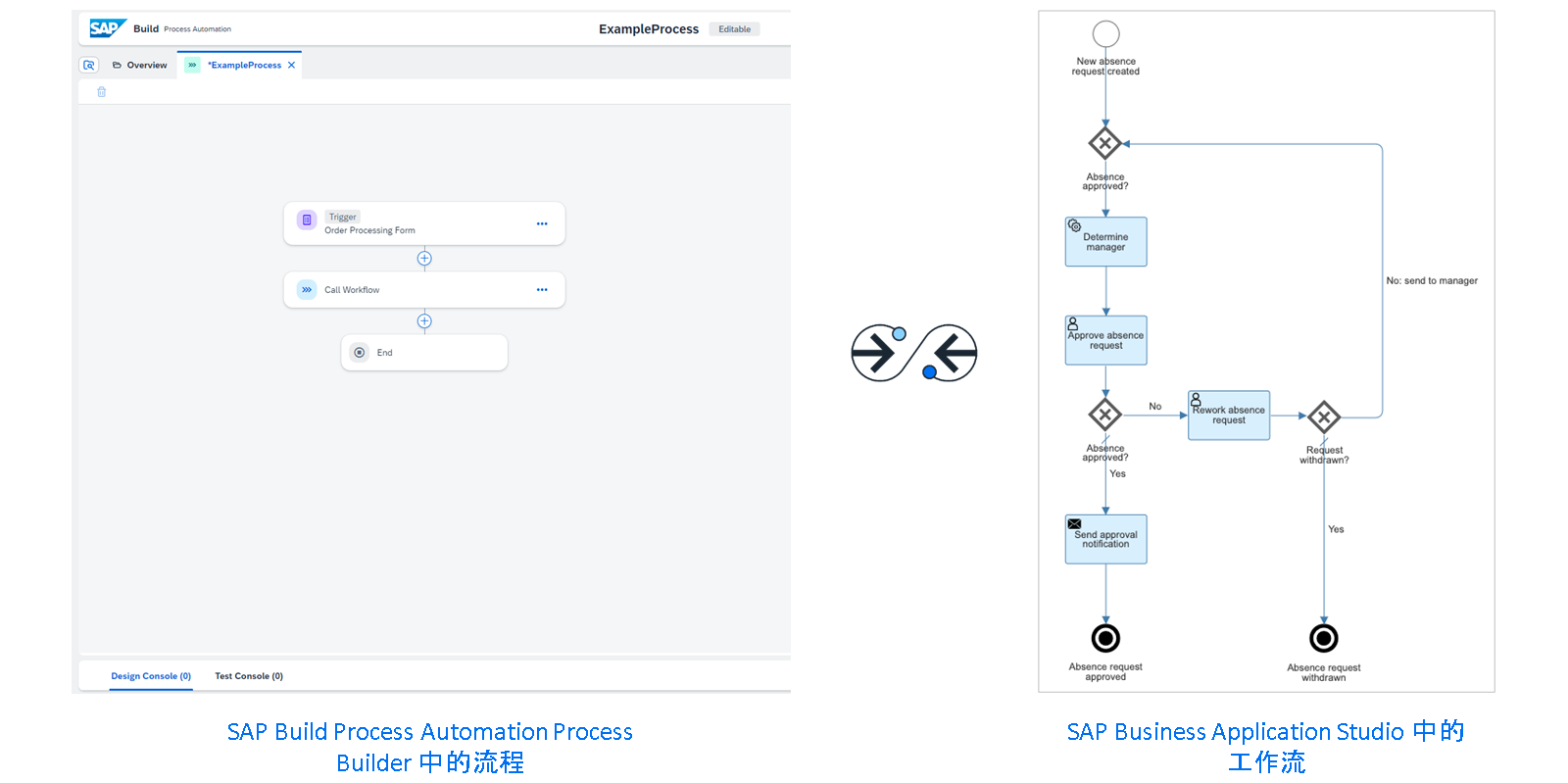
如果您在迁移到 SAP Build Process Automation 之前正在使用 SAP Workflow Management,则可能有想要重用的现有工作流投资。SAP Build Process Automation 允许将这些工作流集成到您的流程中。此外,您仍可以在 SAP Business Application Studio 中创建新工作流,并将其部署到 SAP Build Process Automation 工作流运行时。当您实施复杂流程时(其中 SAP Build Process Automation 的无代码流程构建器不提供所有必需功能),或者当您用于在 SAP Business Application Studio 中构建工作流并且尚未完全迁移到流程构建器时,这可能很有用。
重用 SAP Intelligent Robotic Process Automation 中的自动化项目
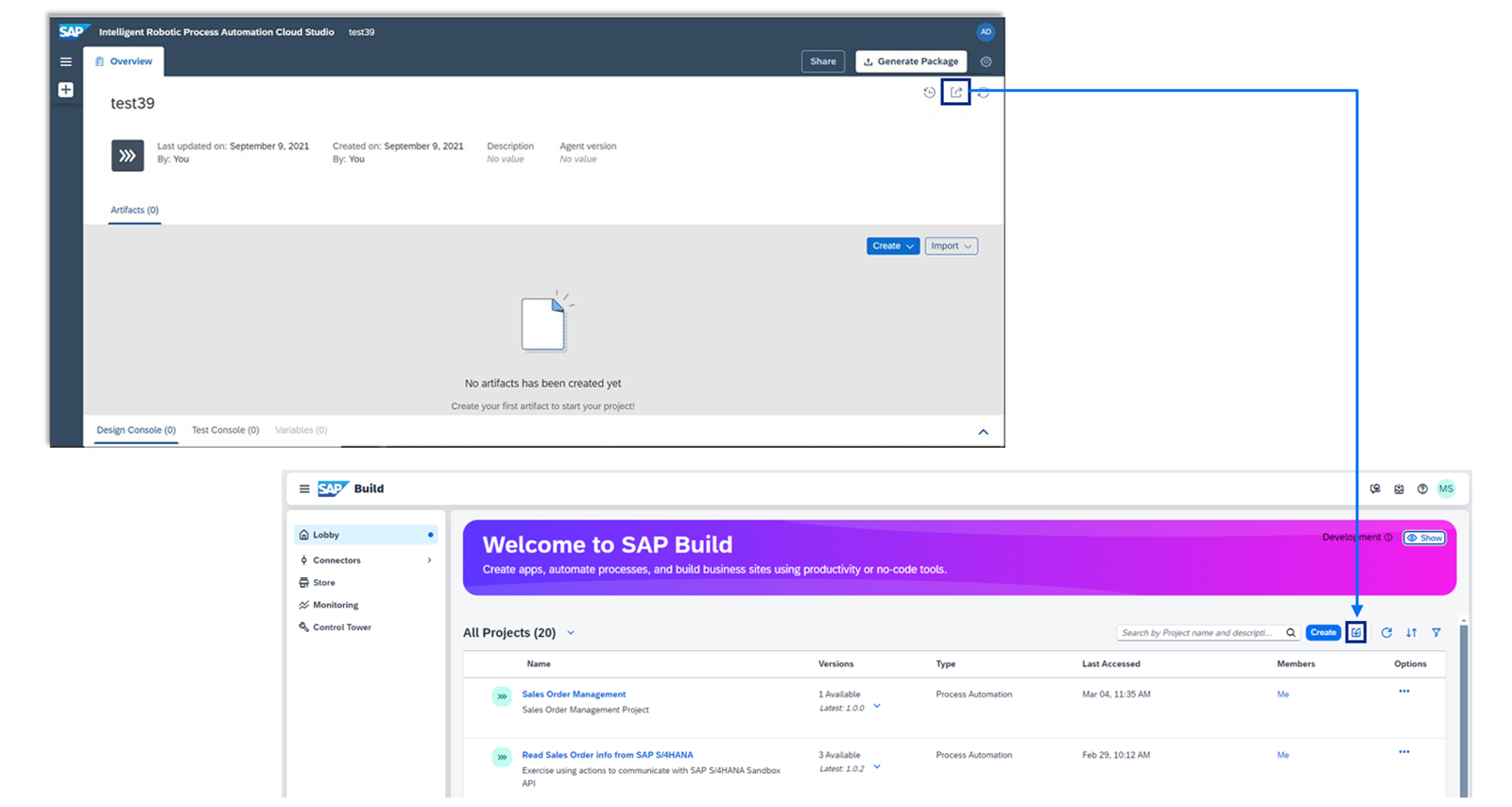
如果您在迁移到 SAP Build Process Automation 之前正在使用 SAP Intelligent Robotic Process Automation,则可能存在要重用的现有自动化投资。您可以从 SAP Intelligent Robotic Process Automation 导出自动化项目,并将其导入到 SAP Build Process Automation。由于 SAP Build Process Automation 提供与 SAP Intelligent Robotic Process Automation Cloud Studio 相同的部件和工具,您现在可以在 SAP Build Process Automation 中管理和调整项目工件。
"混合"模式结合预构建、流程和工作流内容
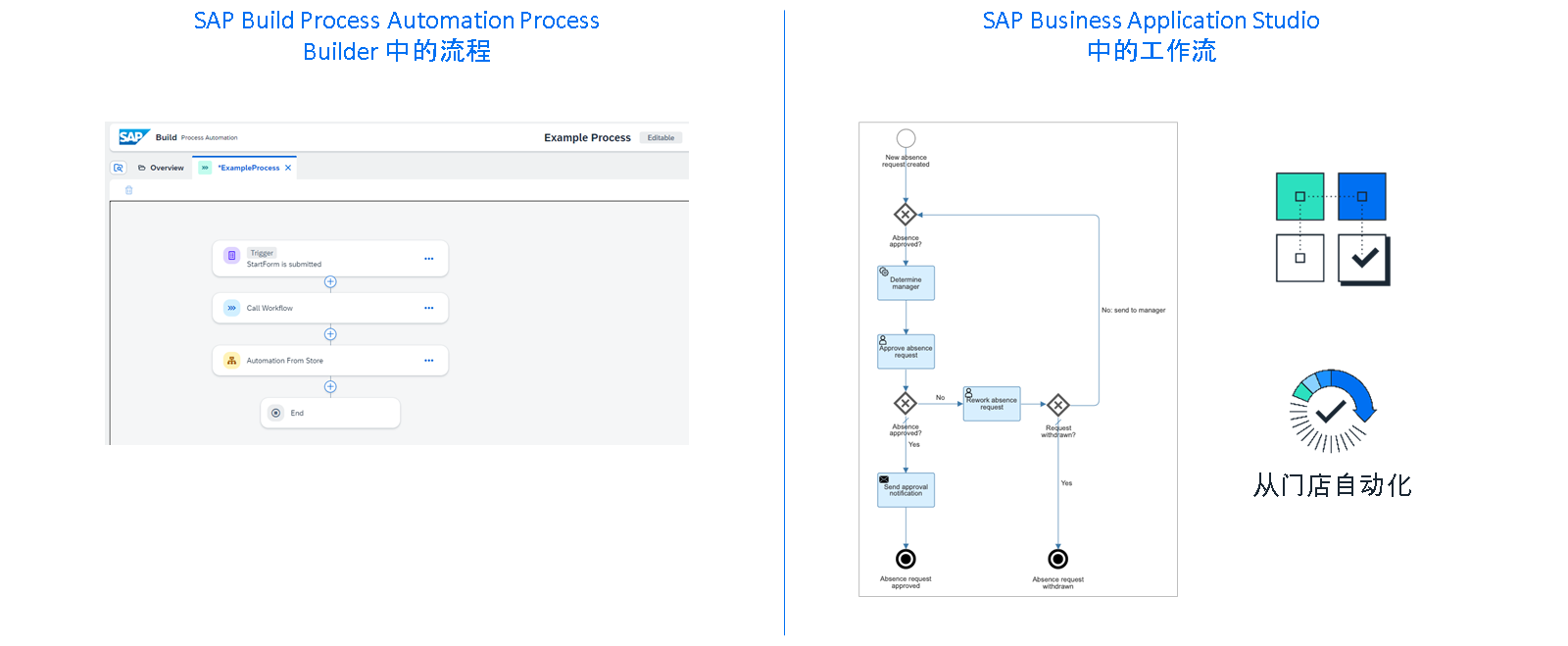
由于 SAP Build Process Automation 提供了许多灵活性,因此当您具有自定义需求或只想使用 SAP Build Process Automation 流程中的附加步骤扩展 SAP Workflow Management 中的现有工作流时,您还可以组合之前提到的工作模式的部件。例如,您可以创建首先调用 SAP Business Application Studio 中开发的工作流的流程,然后运行从 Store 或您同事开发的包导入的自动化。